
The problem with pasting a client file into an AI chat
A refusal letter and the officer's notes carry everything a client would want protected: their name, date of birth, UCI, application number, passport number, address, family details and travel history. Paste that into a general AI chat tool and every one of those details is sent to the provider, stored in a conversation history and, depending on the product's settings, possibly used to improve the model.
Licensed professionals owe their clients confidentiality, so CaseVane was designed around one rule: the information that identifies the client should never leave the professional's computer. The drafting still needs a powerful AI model on a server, so the design splits the work: identity stays in the browser, and only de-identified text travels.
Layer 1: de-identification in the browser
When you attach PDFs in the CaseVane workspace, your browser reads them. The files themselves are never uploaded; only their text layer is extracted, on your computer. Scanned pages without a text layer are refused rather than guessed.
The text then goes through two detectors, both running inside the browser tab:
- A small name-recognition model. CaseVane runs GLiNER, a compact named-entity model, through ONNX Runtime compiled to WebAssembly. The browser downloads the model from our site once and runs it locally. It looks for people's names, street addresses, emails, phone numbers, passport numbers and dates of birth.
- Fixed patterns. Identifiers with a known shape, such as UCI and application numbers, are caught by exact patterns, which do not depend on the model's judgement.
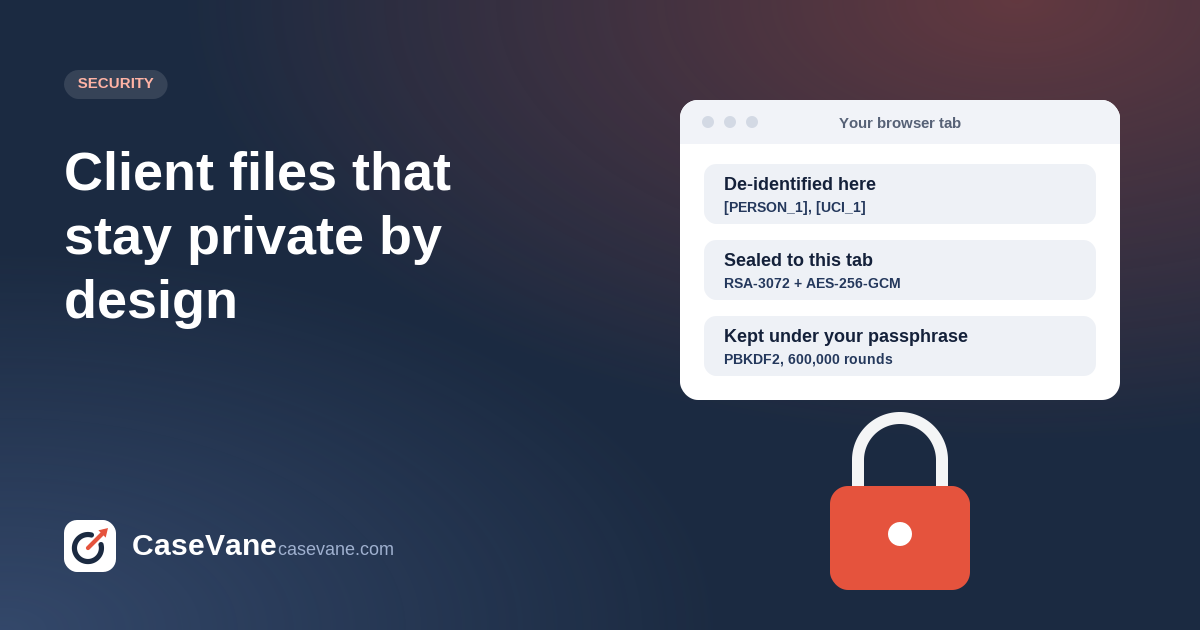
Each value found is replaced with a placeholder such as [PERSON_1] or [UCI_1]. The same value always gets the same placeholder, so the draft can still say that [PERSON_1] is the spouse of [PERSON_2]. The list linking each placeholder to its real value is kept in the tab's session storage. It is never sent to us, and the browser deletes it when the tab closes.
Before anything is sent, you see the de-identified text with every placeholder highlighted. If the model missed a name or a number, you select it and hide it. What you approve is exactly what our server receives.
What travels, and where
The approved, de-identified text is sent over HTTPS to CaseVane's server, where it is stored encrypted while the draft is queued and written. To write the draft, the server sends that text, with the relevant sections of the Immigration and Refugee Protection Act and Regulations, through OpenRouter to Anthropic's Claude models and Google's Gemini models. For the line-by-line check we ask OpenRouter to use only endpoints that do not use the data to train models, and we never use your documents to train models ourselves. When a case citation is checked, only the citation itself, such as 2024 FC 123, is sent to CanLII.
The de-identified text is deleted from our database as soon as the draft finishes, whether it succeeds or fails. Server logs record a draft's number and outcome, never its content.
Layer 2: the finished draft is sealed to your tab
When you start a draft, your browser tab creates its own key pair with the Web Crypto API: an RSA-OAEP key of 3,072 bits with SHA-256. Only the public half is sent to the server; the private half stays in that tab's session storage.
When the draft finishes, the server encrypts the draft, the critic's review and the check results with a fresh AES-256-GCM key, encrypts that key with your tab's public key, and keeps only the encrypted result. From that moment the server cannot read the draft. Your tab decrypts it, puts the real names and numbers back from its own placeholder list, and shows it to you. Word and text downloads are built in the browser too.
Sealed drafts are deleted automatically 24 hours after they finish, or sooner if you delete them. That is also why CaseVane asks you to keep the tab open while the draft is being written: if the tab closes, the only key that can open the draft is gone, for you and for us.
Layer 3: keeping a draft longer, under your passphrase
Sometimes a draft is needed for more than a day. You can lock it for 1, 7 or 30 days with a passphrase of at least 12 characters. Your browser derives a key from the passphrase with PBKDF2-SHA-256 over 600,000 rounds and a random salt, and encrypts the draft, with the real names restored, using AES-256-GCM. We store only that encrypted copy until the date you chose, then delete it.
We never see the passphrase. We cannot open the draft, reset the passphrase or recover it. If you lose it, the draft is gone. That trade-off is deliberate: a recovery option would mean someone other than you could open the file.
The limits, stated plainly
- Automatic detection can miss a detail, especially an unusual name or an identifier written in an unexpected format. Read the de-identified text before you send it.
- While a draft is being written, the de-identified text passes through our server and the AI model providers, under their own terms.
- Context can identify a person even without a name. Use your own file reference rather than the client's name, and hide unusual details that are not needed for the draft.
- You remain responsible for your professional duty of confidentiality, including any client consent it requires.
The full technical description is on the CaseVane security page, and the legal text is in the privacy policy.
This article is general information for licensed professionals, not legal advice. Check the current text of the Act, the Regulations and IRCC's instructions before relying on any point.