
What actually happens when you upload a file
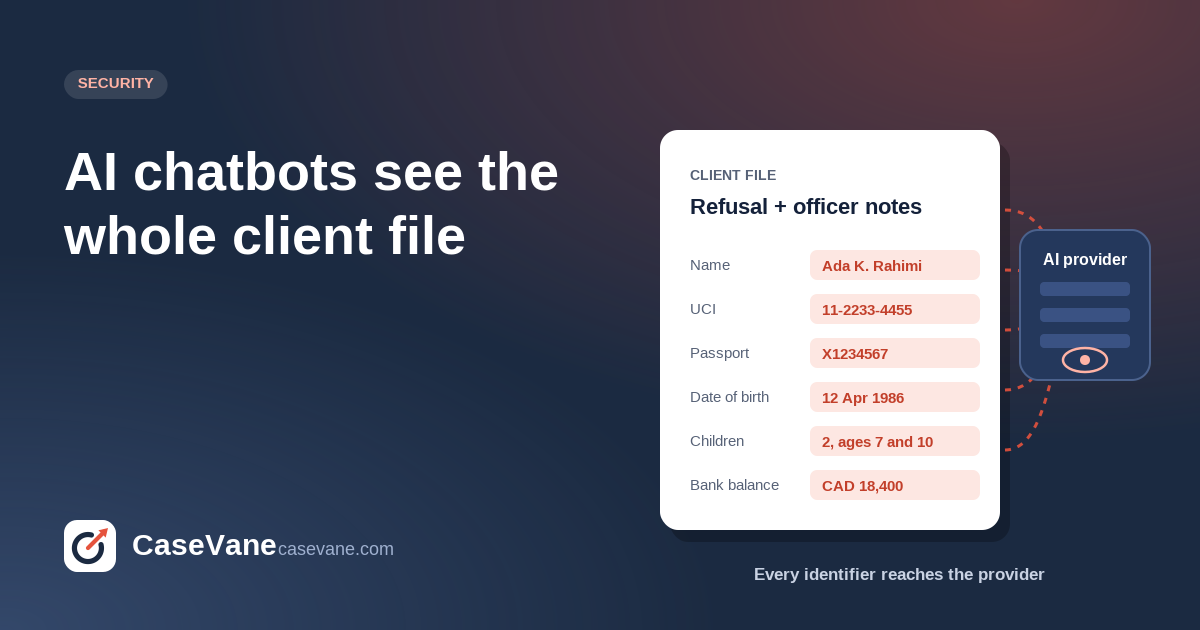
Drag a refusal letter into an AI chat window and it feels local, like opening it in a word processor. It is not. The file leaves your computer, the provider's servers extract every word from it, and that full text becomes the model's input. The model cannot answer a question about page 3 without reading pages 1 to 12.
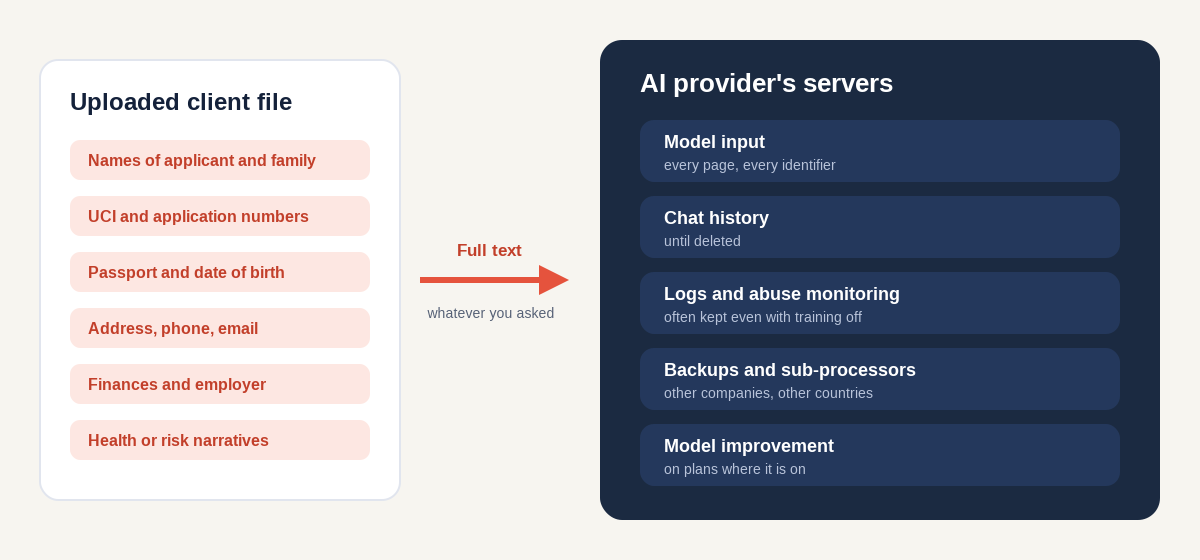
So the provider receives everything in the document, not just the part you asked about: the client's name and date of birth, the UCI and application number, the passport number, the home address, the names of children and parents, employers, bank balances, medical details and, in a refugee or humanitarian file, the account of why the person fears returning home.
"Private mode" changes what happens next, not what is received
Many tools offer a setting that keeps conversations out of training, a temporary chat that is not saved to your history, or a business plan with stronger terms. These are worth using, but they all act after the provider has the text. None of them stops the full document from reaching the provider's servers in the first place.
Depending on the product, the plan and its terms, copies of what you send may be kept in several places:
- Conversation history, until you or an administrator deletes it.
- Logs and abuse monitoring, which many providers keep for a period even when training is off, and which their staff may review in limited cases.
- Backups and sub-processors, such as cloud hosting companies, each with its own retention.
- Model improvement, on plans where that is on by default or was never turned off.
- Other countries, because the servers may be outside Canada and subject to that country's law.
Read the current terms of the exact plan you use. They differ between consumer and business plans of the same product, and they change.
Why this is a serious problem in legal and immigration work
A lawyer's or a licensed consultant's duty of confidentiality does not depend on how convenient a tool is. Immigration files are among the densest collections of personal information a practice holds: identity documents, family structures, finances, health, criminal history, and sometimes information that could put a person or their relatives at risk if it reached the wrong hands.
Two further points are easy to miss:
- The client did not choose the tool. Sending their file to a third-party AI provider is a disclosure the client may not have agreed to.
- Leaks compound. A single uploaded file can identify several people, including family members who are not your clients at all.
"I will just black out the names first"
Manual redaction helps, but it fails in predictable ways:
- Boxes drawn over text in a PDF often leave the text underneath. The AI tool extracts the text layer, not the picture, so it reads what you thought you hid.
- Identifiers repeat. A name redacted on page 1 appears again in a footer, an email signature or a file name.
- Context identifies people. A rare nationality, an exact date of birth and a small hometown can be enough without a name.
- Metadata travels with the file: author names, earlier titles and comments.
What a safer design looks like
The fix is not a promise in a privacy policy; it is an architecture in which the identifying details never leave you:
- Minimize. Send only the text the task needs, not whole files.
- De-identify on your own computer, before anything is transmitted, and replace each value with a consistent placeholder so the reasoning still works.
- Show the outgoing text to the professional, who can hide anything that was missed.
- Keep the re-identification key local, and put real names back only on your machine.
- Encrypt the result to the user, so the service itself cannot read the finished draft.
- Keep retention short, never train on client documents, and send only what is needed to outside lookups.
How CaseVane applies this
CaseVane was built around that list. Your browser reads the PDFs and replaces names, UCI and application numbers, passport numbers, dates of birth, addresses, phones and emails with placeholders such as [PERSON_1], using a small name-recognition model that runs on your computer. You review the exact text before it is sent. The finished draft is sealed with a key that only your browser tab holds and deleted 24 hours after it finishes. To be precise about the limits: the de-identified text, without the names and numbers, does pass through our server and the AI model providers while the draft is written, and automatic detection can miss a detail. The security page sets out every step.
Whatever tool you choose, the twelve questions to ask before you put client files into any legal AI tool will tell you quickly where your clients' information goes.
This article is general information for licensed professionals, not legal advice. Check the current text of the Act, the Regulations and IRCC's instructions before relying on any point.